Hardware Configuration - Factory Reset - Aastra
Here you can see how to Factory reset Aastra Phones
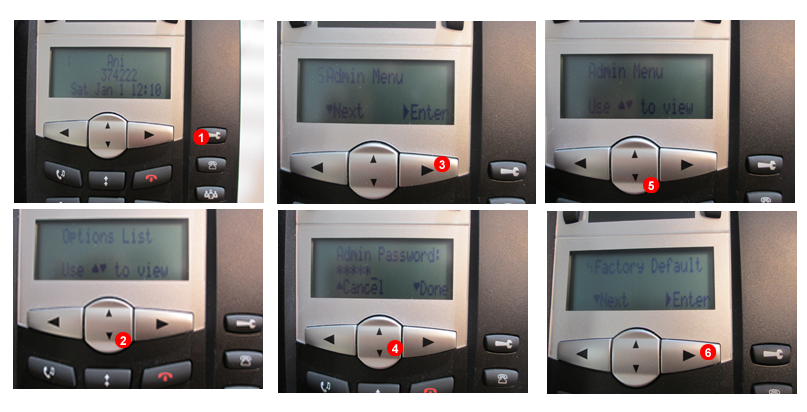
Figure 32.1 Aastra - Factory reset
- Press the
settingskey of your phone. - Scroll to Admin menu.
- Provide password ( by default 22222 ).
- Scroll down.
Factory Default.- Press
Enter.