
How to set up a low-cost call center: From single agent to hundreds
- Tim Meredith
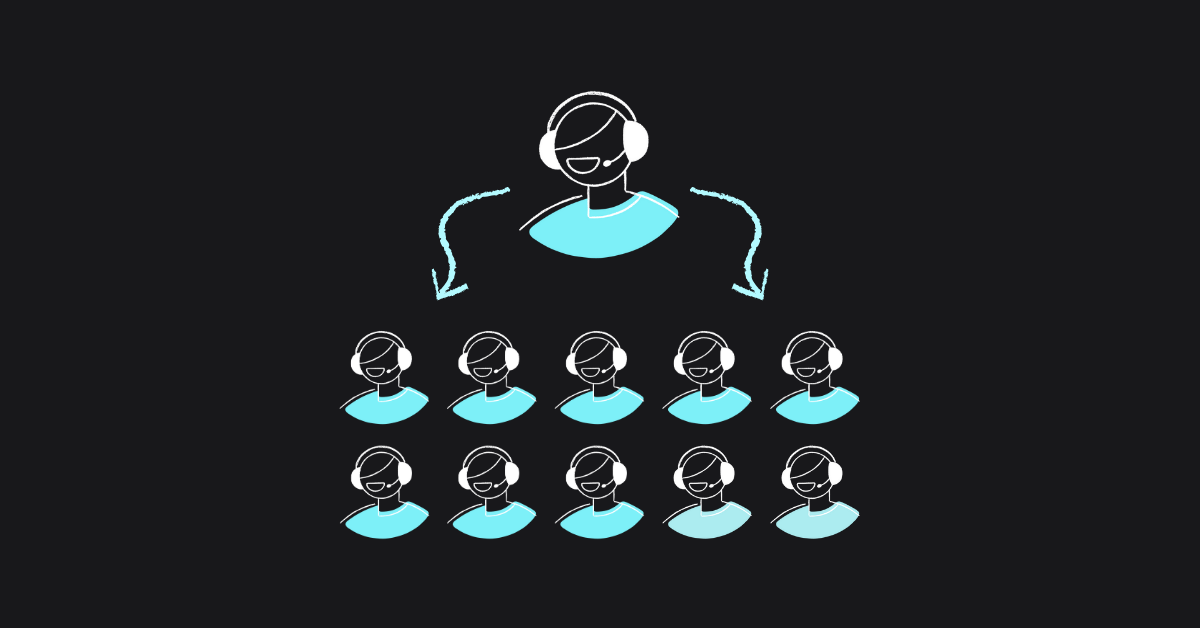
Table of contents
Modern call centers don’t begin with a vast room of cubicles. They often start with one person wearing several hats: sales, support and account management all in the same afternoon. Over time, that team grows, and the technology behind it needs to grow too. The trick is choosing tools that expand without dragging you into needless complexity or runaway costs.
This guide walks through the practical steps: how to start small, how to scale, where costs hide, and which architectural decisions make life easier. Readers should feel confident about what’s essential, what’s optional and what’s wasteful.

A quick set of helpful questions people ask when starting out
What’s the simplest and cheapest way to begin?
A cloud platform with queues, IVR, recordings and basic analytics. No hardware. No on-site installation.
How do we scale without rebuilding everything later?
Choose a system with flexible routing, per-user pricing, and APIs or integrations that let your workflows grow with you.
Why do some call centers become so expensive?
Legacy hardware, consultancy-driven deployments, and SaaS suites that force large feature bundles whether you want them or not.
When does a small call center start needing more advanced tools?
Usually between 20 and 50 users, when multiple queues, advanced reporting and supervision start becoming essential.
1. Start with the right operating model
A call center’s needs shift dramatically depending on its size and purpose. Thinking in stages helps you avoid overspecifying early or bottlenecking later.
Micro teams (1–5 users)
The goal here is simplicity. One or two numbers, a light IVR, basic reporting, and the ability to take calls from anywhere. Softphones usually replace desk hardware, which keeps costs extremely low.
Growing teams (5–50 users)
Growth introduces variety. Different queues, different skills, supervisors who need oversight, and external tools like CRM or helpdesk systems. Routing becomes more strategic. Reporting becomes more important. Flexibility matters more than raw features.
Scaling operations (50–200+ users)
At this point, you’re thinking about structure rather than survival. Policies, permissions, SLAs, multi-region numbers, team-level metrics and optional contact-center extensions like webchat and SMS. You’re buying the ability to manage many people cleanly, rather than overpriced tools.
2. Choose technology that won’t trap you
There are three broad categories of call-center platforms. Each comes with trade-offs that become more obvious as you scale.
Legacy on-premise systems
Once the default, now the exception. They require hardware, specialized engineers, and long project plans. They can run well, but they rarely run cheaply or flexibly.
Enterprise SaaS suites
Powerful and polished, but designed for huge operations. Costs escalate fast. Many companies end up paying for omnichannel features they aren’t ready to use or don’t truly need.
Lean cloud communication platforms (e.g., VoIPstudio)
The middle path. These tools offer the essentials; queues, IVR, reporting, recording, SMS, webchat, integrations, etc without heavyweight onboarding or enterprise-only tiers.
Lean cloud communication platforms are ideal when you want something that can handle one agent today and one hundred next year, without changing platform or pricing model.
The best rule of thumb: you want capability without bloat, and cost without compromise.
3. Budgeting: where the real money goes
It’s easy to assume user licenses are the whole story, but most organizations overspend due to hidden or unexpected add-ons.
The predictable costs
- Users or seats
- Geographic or toll-free numbers
- Call minutes (at least for rates, but minutes bundles can help)
- Optional call-center upgrades (if needed)
The costs that quietly inflate budgets
- Long contracts that lock you in for years
- Leasing agreements that can multiply capital costs 10-20x
- Professional services for basic configuration
- Proprietary hardware with expensive maintenance plans
- Add-ons bundled into “mandatory” packages
- Pricing cliffs that force you from SMB to enterprise tiers
Platforms with a straightforward cost model become far more sustainable as you grow.
4. The features that matter more than buzzwords
Instead of chasing feature lists, focus on capabilities you’ll actually use.
Essential for any size
These are your foundation.
- Reliable routing
- Queues
- Recording
- Analytics
- Integrations
- Global number availability
Important as you grow
These keep operations consistent as people join the team.
- Skill-based routing
- Multi-queue strategies
- SMS
- Webchat
- Scheduled reporting
- SSO
Necessary at scale
Think of these as organizational rather than technical features; they keep large teams aligned.
- High availability
- Multi-region routing
- Centralized permissions
- Optional CX extensions
What’s notable is how very few businesses genuinely need the ultra-complex features found in expensive enterprise tools.
5. How to deploy a call center?
Building your system should feel like unpacking a toolkit, not assembling an aircraft.
Choose your platform
Look for one that lets you create users, queues, and IVRs visually using a flow design interface, without waiting for professional services.
Add users
Avoid solutions that impose excessive minimum seat counts or heavy admin overhead.
Configure numbers and routing
Define your IVR, queues, hours, and overflow rules. A good platform lets you preview or test these changes instantly.
Integrate your ecosystem
CRM, ticketing, messaging. Whatever keeps your workflow coherent and efficient.
Track, learn, and refine
Monitor wait times, call outcomes, agent performance, and SLA data. Tuning is more important than attempting day 1 perfection.
Scale naturally
Growing teams shouldn’t feel like you’re starting again. The right platform lets you add capacity, not rebuild from scratch.
6. Why flexible cloud platforms outperform both extremes
Businesses consistently report three reasons:
Speed
Deployment takes minutes, without epic project timelines. This alone saves weeks of cost.
Cost discipline
You pay for users and simple add-ons, not for unused enterprise-tier packages. You also avoid hardware refresh cycles entirely.
Scalability without friction
One agent or one hundred, same system, same interface, same routing logic. Growth shouldn’t force a migration.
VoIPstudio is built with exactly this philosophy: modern capability, minimal overhead, and no drama between stages of growth.
7. How call-center setups typically look at different scales
This helps teams visualize what they actually need at each stage.
1–5 users
A simple queue, basic IVR, softphones, and light reporting. Clean, minimal, fast.
5–50 users
Multiple queues, more structured routing, CRM integration, supervisor tools, scheduled analytics, and maybe multichannel options like SMS and webchat.
50–200+ users
Departmental queues, team-level reporting, regional numbers, auditing tools, and optional CX capabilities like live, real-time analytics or autodialers.
Crucially, the architecture shouldn’t change. Only the shape of your team does.
8. Frequently Asked Questions
How fast can a cloud call center be deployed?
Often within an hour, depending on number provisioning.
Do I require technical expertise to run it?
Not with a modern interface. Most configuration is based on visual flow design and intuitive self-service.
Can remote teams use the system easily?
Yes. Softphones and browser apps make location irrelevant.
Are global numbers easy to acquire?
They should be. Choose a provider with wide regional coverage, including the ability to port/transfer in numbers.
What happens when we need more features later?
You should be able to scale in small steps rather than replacing everything or starting complex upgrade projects.
9. Key Takeaways and Summary
Selecting a scalable call center platform can feel like watching a battle between decades-old vendors battling it out for “who has the biggest X” at their glitzy corporate events, financed by customers through their subscriptions. However, it’s really about selecting technology that grows quietly in the background while your team focuses on customers, not configuration.
Cloud platforms make it possible to start small, stay agile, and expand without absorbing the complexity or cost of legacy systems or bloated enterprise tools.
If there’s a message running through this guide, it’s that you don’t need a heavyweight platform to run an effective call center. You need one that grows with you, doesn’t lock you in, and keeps pricing transparent.
That’s why many teams choose platforms such as VoIPstudio: fast to deploy, adaptable as needs evolve, cost-efficient from day one, and still capable of supporting large, distributed teams with confidence.
More from the blog

Want to improve your business communication?
Unlock enterprise-class call center power at affordable prices – no hardware, no delays, no surprises!